dymokomi/luced-2d
An image editor written in Luce: layered GPU documents from luce-image, drawn at any zoom, with the look of a brutalist grey-and-orange tool.
An application written in luce. Latest release 0.5.1.
Install#
luc install dymokomi/luced-2dDocumentation#
luced-2d
An image editor written in Luce, on its way to being a free Photoshop replacement: layered documents held as GPU tiles by luce-image, composed on the GPU and drawn at any zoom, in a window built from luce-ui controls. The design and the order of work are in docs/DESIGN.md.
What it does today
- Opens PNG, JPEG, TIFF and EXR pictures as a document, Photoshop
.psdfiles as layers (names, visibility, opacity, blend modes, clipping), or creates an empty one. - Layers pane: click the eye to hide, drag rows to reorder, rename from the Properties pane or Layer › Rename Layer….
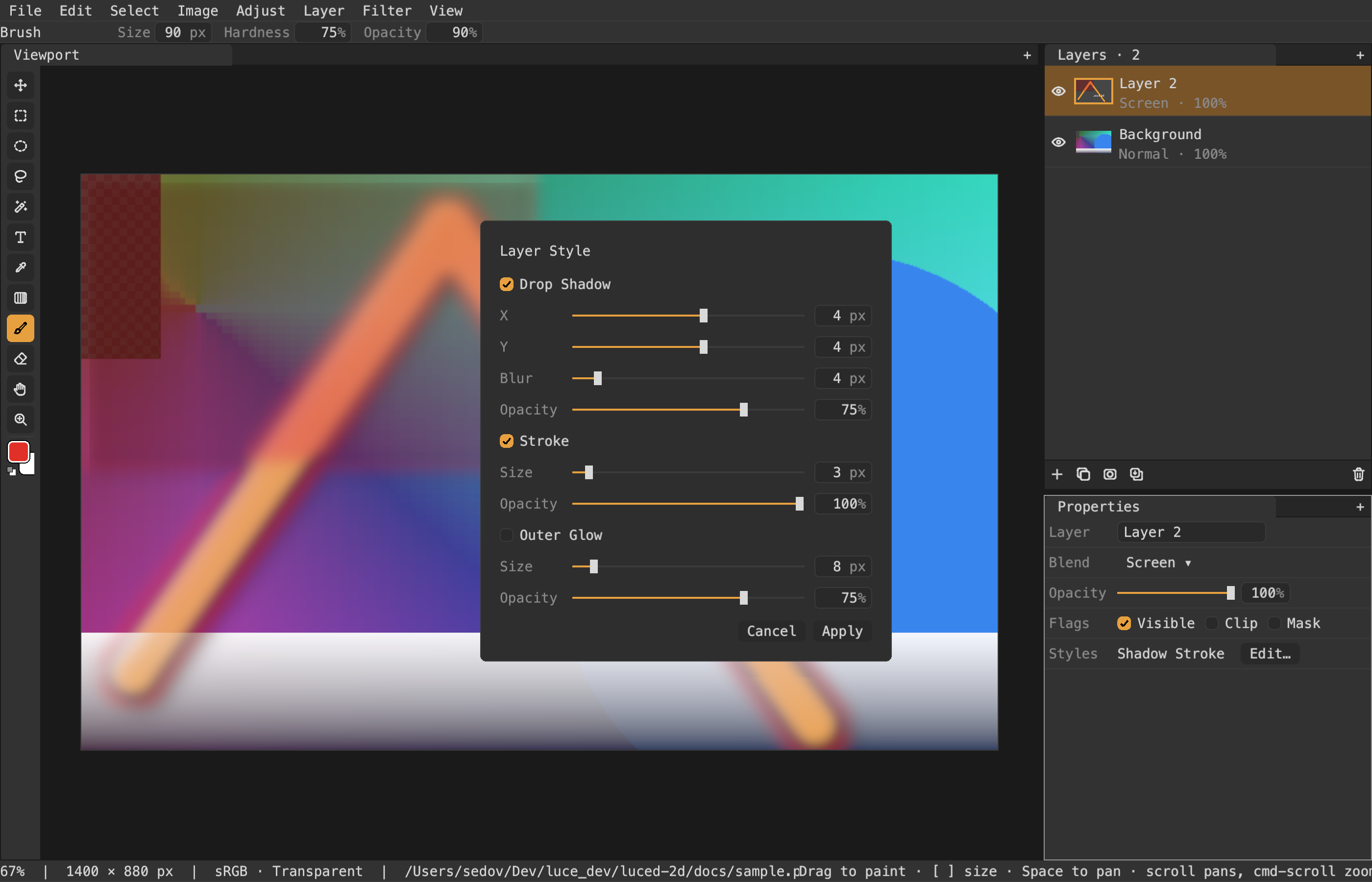
- Layer › Layer Style: drop shadow, stroke and outer glow drawn under the layer, non-destructively, edited live and saved in
.l2d. - Layers with names, visibility, opacity and all 26 Photoshop blend modes, composed on the GPU with a cache that re-renders only the tiles an edit touches.
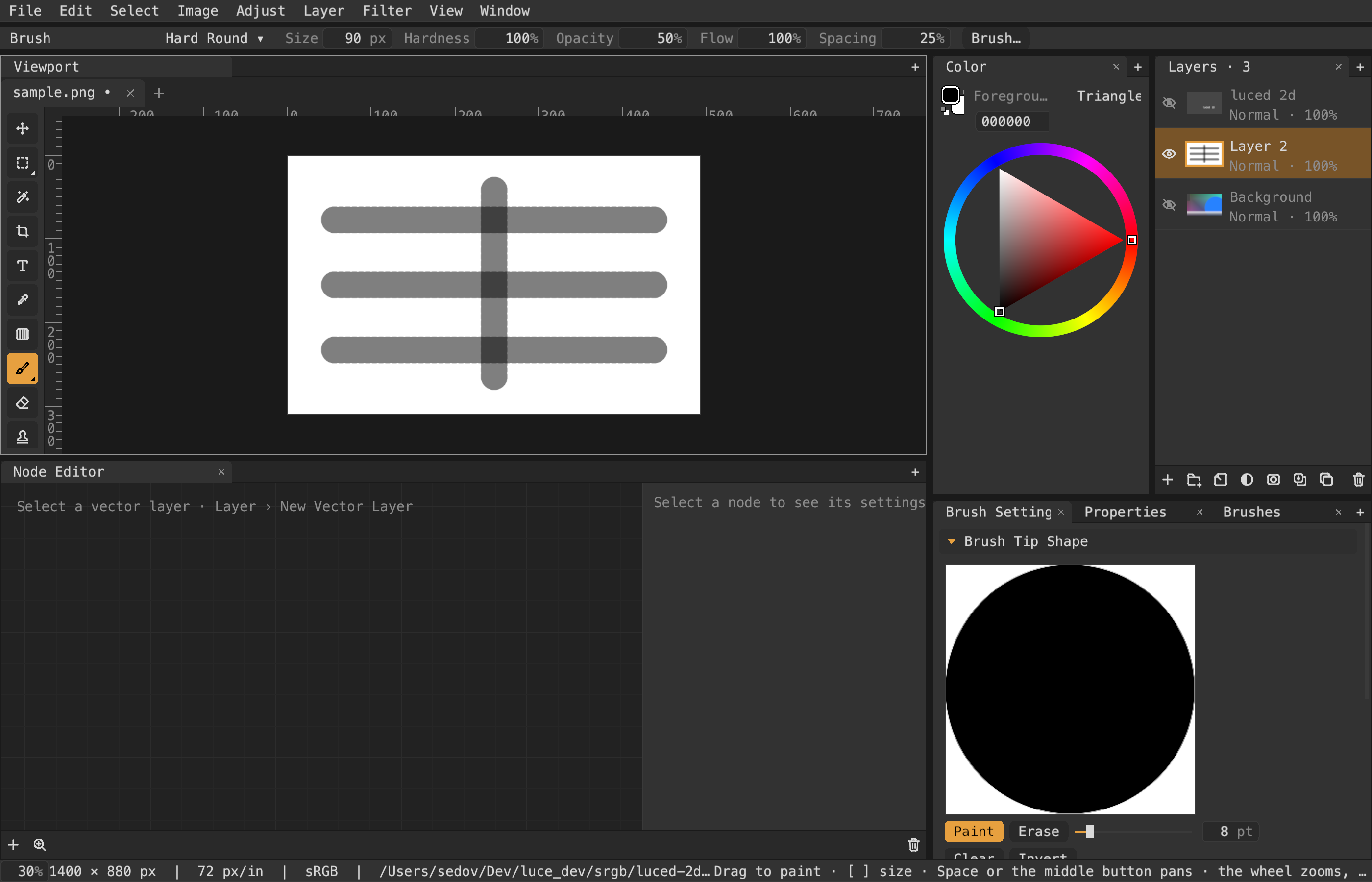
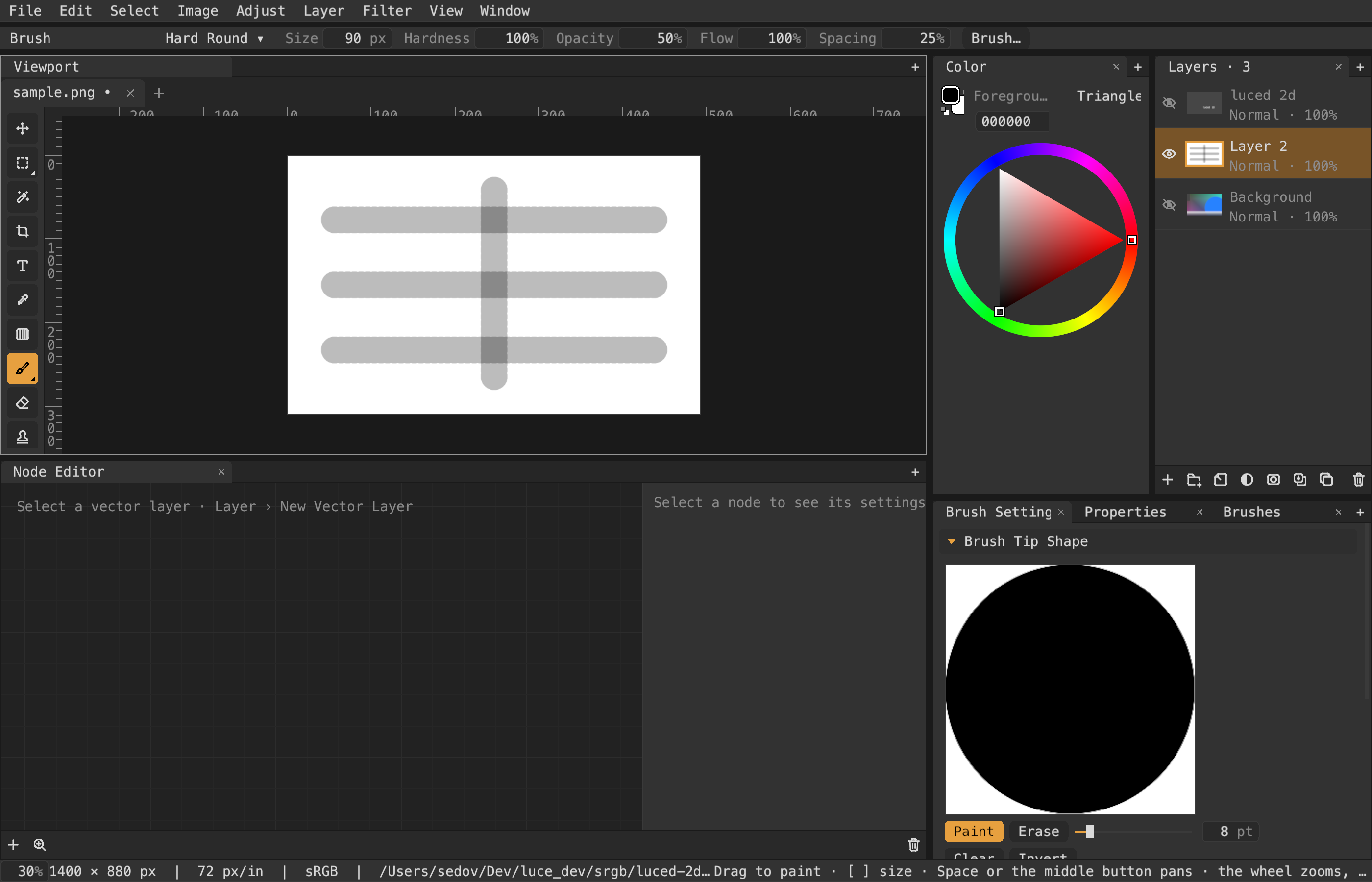
- Colors mix as Photoshop mixes them: as sRGB-encoded values, wherever they mix — layers, brushes, fills, gradients, filters, resampling, the checkerboard and Quick Mask's tint. A 50% black stroke on white is 128, not 188. Image › Document Settings' "Blend RGB Colors Using Gamma 1.0" mixes them in linear light instead; it is saved with the document and undoable (half-opacity strokes: sRGB, gamma 1.0).
- Move tool (
V): drag with a live preview, or nudge, the layer's pixels; Edit › Free Transform (cmd-T) scales, rotates and moves a layer with a live preview; Edit › Transform › Skew, Distort and Perspective (or cmd-, cmd-shift- and cmd-alt-shift-drag on the box's handles); Edit › Transform › Warp, a Bézier mesh with Arc, Arch, Bulge, Flag, Wave and Rise styles; Edit › Puppet Warp, pins that bend the layer about each other; Filter › Gaussian Blur. - Image › Crop to Selection, Canvas Size, Image Size; Layer › Duplicate, Move Up/Down, Merge Down (cmd-J, cmd-], cmd-[, cmd-E).
- Per-pixel selections: rectangular marquee (
M), elliptical marquee, lasso (L) and magic wand (W, with tolerance and contiguous options), shift adds and alt subtracts, Select › All, Deselect, Inverse, Expand, Contract and Feather (cmd-A, cmd-D, cmd-shift-I); marching ants; painting and fills stay inside; Fill (alt-Delete) and Clear (Delete). - Gradient tool (
G): drag to lay the foreground color fading to transparent across the selection, at the brush opacity. - Eyedropper (
I): click to pick the flattened color as the foreground. - Text tool (
T): click, type, and the text is set into the layer's pixels in the foreground color at the chosen size. - A foreground color swatch in the tool header opens a color editor (RGB sliders and hex), beside quick swatches.
- Brush and eraser (
B,E,[]for size) painted on the GPU with soft edges and no dab artefacts; undo and redo of strokes. Pens on macOS, Windows (Windows Ink) and Linux (XInput 2): pressure, tilt, azimuth, barrel rotation and the airbrush wheel drive any brush parameter through Brush Settings' dynamics (with stroke direction, velocity and fade), and the eraser end erases. - Brushes with sampled tips and texture images, painted, pasted or loaded in Brush Settings' editors or made from the selection (Edit › Define Brush Preset…), kept in a library (
~/.luced-2d/brushes/, a folder per brush:brush.toml,tip.png,texture.png) and shared as.l2dbrushfiles. Photoshop.abrbrush files (every preset, with its sampled tip, shape dynamics, scattering, texture, transfer and color dynamics) and Procreate.brushfiles (shape, grain and dynamics) import from the Brushes panel, or in bulk withluced-2d --import-brushes FILE-OR-FOLDER...; imported brushes are listed under a folding header named for the file they came from, and their pictures load the first time each is used. - Pan with two-finger scroll, hand tool (
H) or space-drag; zoom about the pointer with a touchpad pinch, the mouse wheel, cmd/ctrl-scroll, the zoom tool (Z),+/-, Fit and 100%; pixels stay crisp when magnified. - An Adjust menu with destructive adjustments: brightness/contrast, hue/ saturation/lightness, invert, levels (cmd-L), curves (cmd-M: a Photoshop- style curve editor per channel), desaturate, threshold, posterize, and Filter › Gaussian Blur. Each opens a bar of sliders under the header that previews live on the layer; Apply keeps the result as one undo step, Cancel puts the pixels back.
- Opens and saves through the desktop's file dialogs. Saving as
.l2dkeeps every layer, mask and blend setting (a directory with adocument.prismamanifest and one PNG per layer); PNG, JPEG or TIFF save the flattened picture.
Build and run
luc runluc build produces build/Luced 2D.app on macOS; luc run -- --smoke runs three native frames and exits; luc run -- picture.png opens a picture. luce-ui and luce-image are expected as sibling checkouts.
Tests and preview
luc test                  # headless: workspace, view and panels
python3 tools/preview.py   # macOS: captures a real Metal frame into docs/preview.png
Structure
src/workspace.luc: the editing session, a thin coordinator of parts that never import it and sharelive.luc(the shown canvas, its file and the revision):open_documents.luc(tabs, switching, open/save/export),viewport.luc(zoom, pan, view aids),layer_picking.lucandlayer_commands.luc(which layers are selected; edits on them),tool_state.luc,colors.luc(foreground and background),eyedroppers.luc,painting.luc(strokes, fills, the live gradient),previews.luc,transforms.luc,selection_commands.lucandimage_commands.luc.src/view.luc: the canvas widget: it draws the document with the view aids (view_aids.luc) and routes input — keys inview_keys.luc, a press to the tool in hand'sToolHandler(tool_handler.luc), one file per family:paint_tools,gradient_tool,sample_tools,text_tool,selection_tools,vector_tools,navigate_tools,move_tool, and the view's own gestures inview_gestures.luc.src/actions.luc: oneCommandper action, as in luced; menus, the tool rail and shortcuts present the same instances, enabled by document state.src/settings.luc,src/settings_panel.luc:~/.luced-2d/settings.toml(new-canvas size, display, theme accent and radius, shortcut overrides by command id) and the Settings dialog after eleusis-layout's: a section list (General, Color Management, Shortcuts, Theme), a draft edited at the right, Save/Cancel. Shortcuts are the application's ownCommands: pick a row, record a chord in the field beneath; a conflict names the other holder.src/tabs.luc: the open documents as tabs across the viewport (Photoshop's):OpenDocumentskeeps aDocumentper tab and swaps the live canvas and view state on switch; New/Open make tabs, ⌘W closes, ⌥⌘] / ⌥⌘[ step.src/palette.luc,src/color_picker.luc: the palette below the tool rail (foreground over background, swap X, reset D) and the color editor after Photoshop's: a field and a strip whose channel a radio picks (H, S, B, R, G, B, L, a, b — the field plots the other two; plus OkLCh L, C, h, gamut-mapped by chroma), new-over-current preview, HSB / RGB / Lab / OkLCh / hex fields, a history of committed colors (saved in settings), live on the palette, canvas click samples while it is open. The color maths is luce-color's (hsl,lab,space,transfer).src/panels.luc: the window (its commands wired inpanels_wiring.luc, the picker and text prompts inpanel_prompts.luc, the menus' transforms intransform_flow.luc; live-preview dialogs sharepreview_session.luc): menu bar, contextual tool header (preset menu, Size/Hardness/Opacity/Flow/Spacing scrubbers and Brush…, which opens the Brush Settings panel — an accordion of Brush Tip Shape, Shape Dynamics, Scattering, Texture, Color Dynamics and Transfer, one section open at a time, with a control row per dynamic parameter and tip and texture editors), then a dock of panes after eleusis-layout (seedocs/ELEUSIS_UI.md): the Viewport with its tool rail, Layers with its actions on a shelf at the bottom, Properties for the selected layer (name field, blend menu, opacity slider and field, flag checkboxes); a status bar that shows the hot control's hint; the text prompt; and the adjust dialog — a floating card centred over the canvas, as Compositor's panels, holding the open adjustment's, blur's, transform's or layer style's rows (label, slider, number field) with Cancel/Apply.src/panel_list.luc,src/panel_catalog.luc: every panel a user can open — Layers, Properties, History, Color, Swatches, Brushes, Brush Settings, Navigator and Info — offered by each dock group's "+" (as a tab, or beside the group after Split Right/Down) and by the Window menu, which ticks the open ones. A panel is made on first use and kept when closed. Each lives in its own file (color_panel.luc,swatches_panel.luc,brushes_panel.luc,history_panel.luc,navigator_panel.luc,info_panel.luc); swatches are kept in settings.toml, brushes in the library (brush_library.luc). File › Exit (Quit, ⌘Q, on macOS) asks about unsaved documents first.src/layers.luc: the layer list with thumbnails, masks and clipping.src/theme.luc: the look, eleusis-layout's greys and orange.src/app.luc: application composition.src/main.luc: entry point.
Dependencies#
| Package | Version |
|---|---|
| dymokomi/luce-canvas | newest |
| dymokomi/luce-clipboard | newest |
| dymokomi/luce-color | newest |
| dymokomi/luce-config | newest |
| dymokomi/luce-gpu | newest |
| dymokomi/luce-image | newest |
| dymokomi/luce-painting | newest |
| dymokomi/luce-procreate | newest |
| dymokomi/luce-psd | newest |
| dymokomi/luce-std | newest |
| dymokomi/luce-textmate | newest |
| dymokomi/luce-ui | newest |
| dymokomi/luce-window | newest |
Versions#
0.5.1
Browse source · pack · commit 579ddaee468d
SHA-256 22d5a57b046018e195625934b3d807edddf9e672185964327e1400470636be98
luced-2d 0.5.1: batch release
0.5.0
Browse source · pack · commit 2a67a054f696
SHA-256 23f0394f5d9957dff83698863ae9350217a932771b4fe6ab2348185f8a352ccc
luce-ui's crash window and a recovery copy of the document; dependencies name no version